A professionally formatted book used to mean paying a professional typesetter. Nowadays, the right software can do the heavy lifting for you.
In this post, we’ll compare 7 book formatting tools to meet a variety of needs.
Let’s start with a quick overview.
|
Price |
Platform(s) |
LitReactor rating |
Verdict |
|
|
Reedsy Studio |
Free |
Web |
5/5 |
Best for standard formatting needs |
|
Vellum |
$199.99 for ebooks; $249.99 for print and ebooks |
macOS |
4/5 |
Great for complex formatting needs (Mac users only) |
|
Adobe InDesign |
$34.49 per month; $22.99 per month for an annual subscription |
macOS, Windows |
3/5 |
Unnecessary for most indie authors, but recommended for small publishing presses |
|
Scribus |
Free |
macOS, Windows, Linux |
3/5 |
A good alternative to Adobe InDesign (print books only) |
|
Scrivener |
$59.99 for the desktop app; $23.99 for the iOS app |
macOS, Windows, iOS |
2/5 |
Not recommended for formatting unless you are already well-acquainted with the software |
|
Atticus |
$147 (no free trial) |
Web, macOS, Windows, Linux |
2/5 |
A fallback option for non-Mac users with complex formatting needs |
|
Apple Pages |
Free |
macOS, iOS |
1/5 |
Not recommended for serious authors due to the unprofessional finish |
Reedsy Studio is our number one choice for most authors, but different tools cater to different types of books. Read on for a more detailed discussion of the pros and cons of each piece of software.
1. Reedsy Studio
Price: Free for formatting; optional craft and outline add-ons.
Platform(s): Web
LitReactor rating: ⭐⭐⭐⭐⭐
Best for: Writing and formatting standard books for free
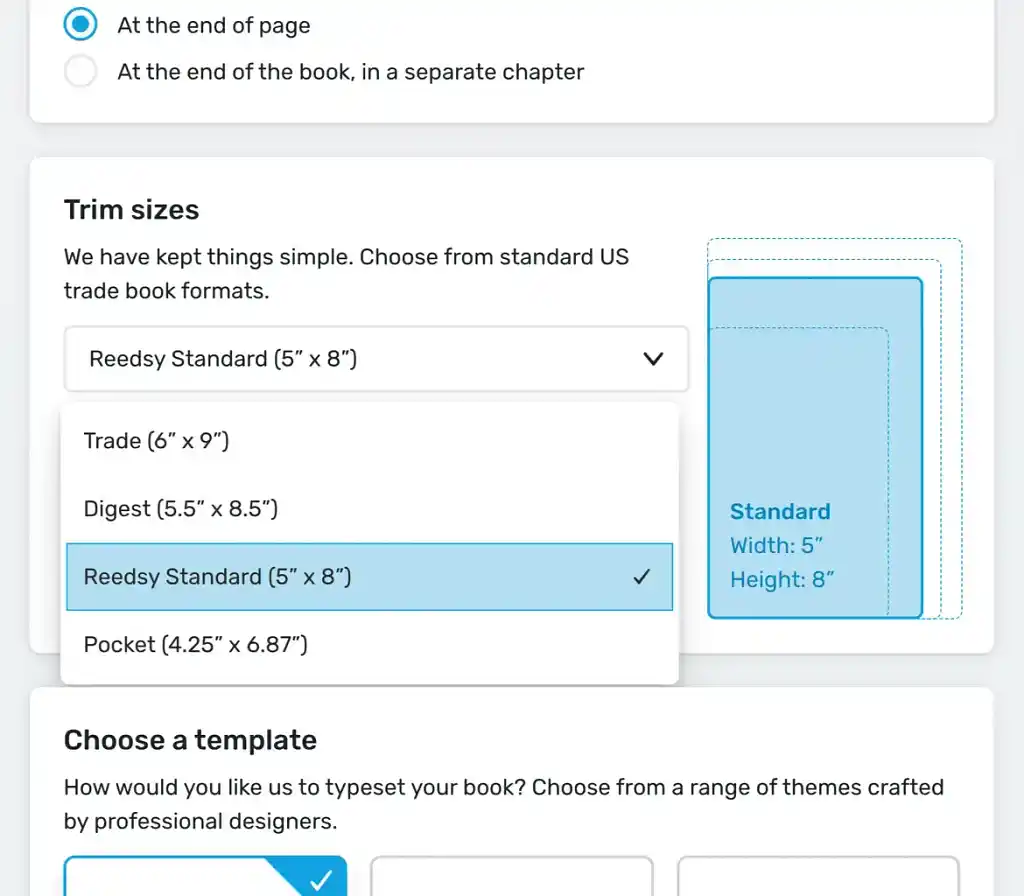
In Reedsy Studio, creating a professional-grade book is quick, easy, and free. The software offers a choice of three preset themes: “Reedsy,” “Classic,” and “Romance.” Configuring the front and back matter, rearranging book elements, and selecting the trim size are all straightforward thanks to the intuitive interface, and you can export your manuscript as an EPUB or a print-ready PDF.
If you still need to edit your book’s content, Reedsy Studio boasts a sleek writing environment and excellent free collaboration tools. For most authors, the online app meets all your writing and formatting needs, free of charge — including adding in-line images and endnotes. However, if your book demands complex, highly customized formatting, you may need to invest in a pricier tool.
|
Pros of Reedsy Studio |
Cons of Reedsy Studio |
|
➕ All formatting features are free |
➖ Online only |
|
➕ Very intuitive interface |
➖ Limited customization |
|
➕ Good for writing and editing as well |
|
|
➕ Compatible with all devices |
2. Vellum
Price: $199.99 for ebooks only; $249.99 for print books and ebooks. Only pay to export files.
Platform(s): macOS
LitReactor rating: ⭐⭐⭐⭐
Best for: Highly customized formatting across multiple books (Mac users only)
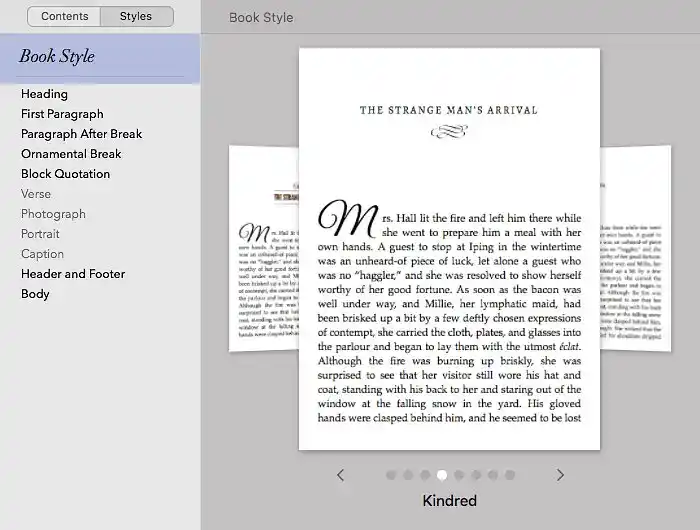
Vellum can meet most complex formatting needs. It boasts 26 style templates, all of which can be further customized under the “Book Style” panel, allowing you significant control over your book’s appearance. It’s easy enough to upload images and import or export your manuscript, but the app’s text editing interface is very basic, so you’ll probably want to write your book elsewhere first.
The major drawback of Vellum is that it’s only available on Mac devices. Its license fee is also quite steep, so it’s best for authors who plan to write multiple books. On the plus side, you don’t have to pay until you’re ready to export your files, so you can try it out for free to see whether it’s worth it.
|
Pros of Vellum |
Cons of Vellum |
|
➕ 26 customizable templates |
➖ Expensive |
|
➕ Offline use |
➖ Not good for writing and editing |
|
➕ Only pay when ready to export files |
➖ macOS users only |
|
➕ Free updates |
3. Adobe InDesign
Price: $34.49 per month or $22.99 per month if you purchase an annual subscription. 7-day free trial.
Platform(s): macOS, Windows
LitReactor rating: ⭐⭐⭐
Best for: Large-scale publishing operations
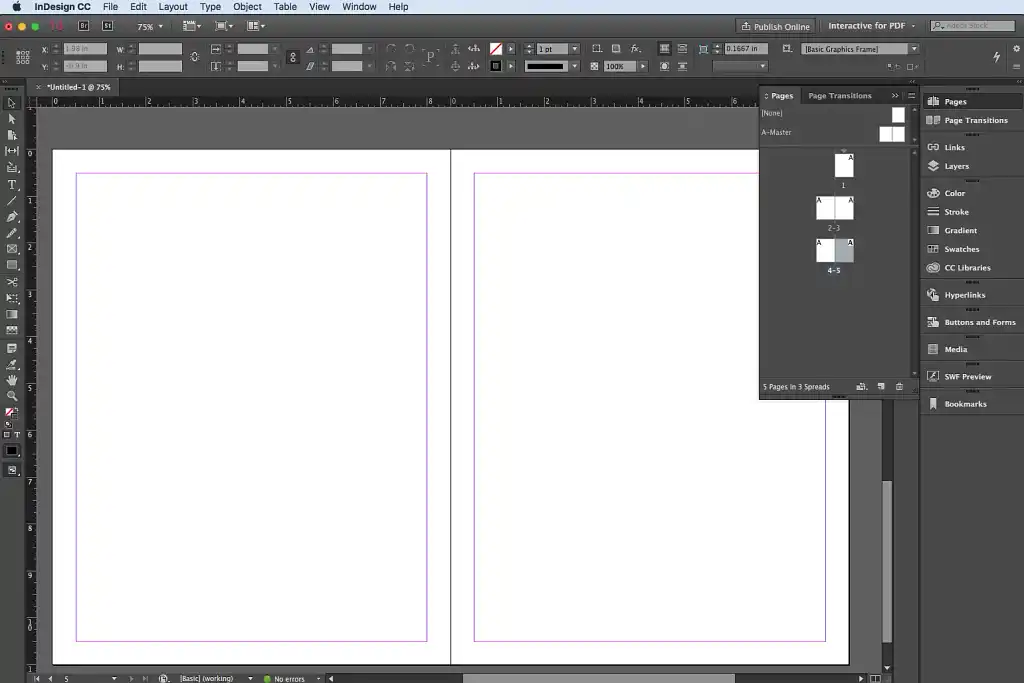
Desktop publishing software Adobe InDesign may be the most powerful formatting tool on this list, but it’s also the most expensive in the long term and the most difficult to use. Part of the Adobe Creative Cloud suite, InDesign isn’t specifically designed for creating books, which means the learning curve can be intimidating for non-designers.
However, unlike specialist book formatting tools, InDesign offers manual control over every pixel of your book — a freedom that can be empowering or overwhelming, but is almost always unnecessary. Unless you’re planning to start your own independent press, the additional customizability is probably not worth the extra cost and effort.
|
Pros of Adobe InDesign |
Cons of Adobe InDesign |
|
➕ Industry standard in traditional publishing |
➖ Monthly subscription adds up quickly |
|
➕ Complete control over every pixel |
➖ Steep learning curve |
|
➖ Not good for writing and editing |
4. Scribus
Price: Free
Platform(s): macOS, Windows, Linux
LitReactor rating: ⭐⭐⭐
Best for: Professional desktop publishing for print books, but without InDesign’s price tag
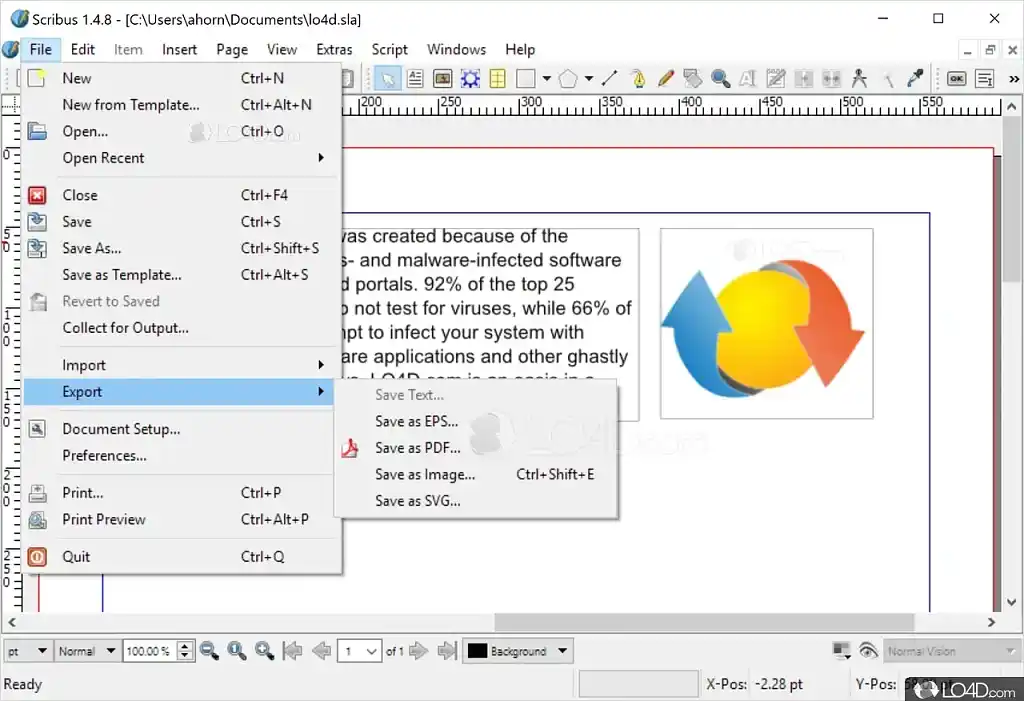
Scribus is an open-source alternative to Adobe InDesign. It may be equally awkward to use, but it costs nothing, which makes it a more viable option for indie authors interested in professional design software. Scribus may not boast as many features as InDesign and its interface may not be as sleek, but it certainly does the job — for print books.
Unfortunately, Scribus has no native EPUB export option, making it unsuitable for formatting ebooks. If you’re publishing your book in both ebook and print formats, you’ll still need to use one of the other apps on this list.
|
Pros of Scribus |
Cons of Scribus |
|
➕ Free alternative to Adobe InDesign |
➖ No ebook export function |
|
➕ Complete control over every pixel |
➖ Steep learning curve |
5. Scrivener
Price: $59.99 for Mac or Windows; $80 for both; $23.99 for the iOS app. Free trial for 30 days of actual use.
Platform(s): macOS, Windows, iOS
LitReactor rating: ⭐⭐
Best for: Authors who have already mastered Scrivener for planning and writing
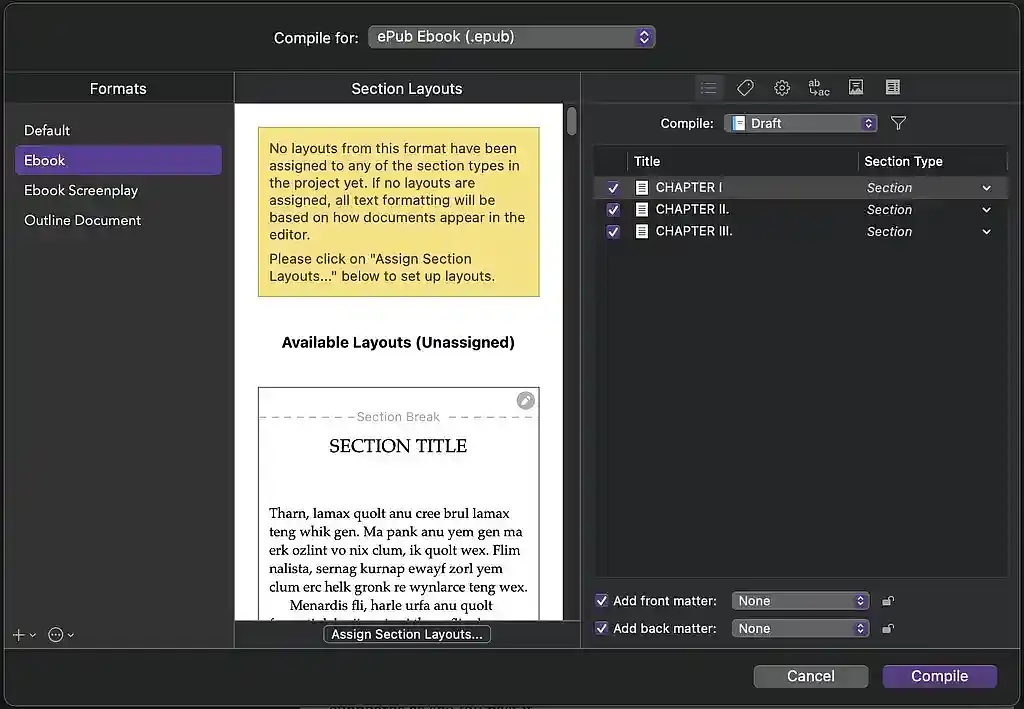
If you don’t already write in Scrivener, you shouldn’t use it as a formatting tool. The Compile feature can produce professional-grade PDFs and EPUBs, complete with metadata and custom styles — but it’s notoriously clunky to use. Expect to spend a good few hours doing what you could do in another app in 10 minutes.
Many authors who swear by Scrivener for organization and writing still prefer to format their book in another app such as Reedsy Studio. However, Scrivener may be worth it for existing users who need strong customization options and don’t want to spend another $147+ on a new tool.
|
Pros of Scrivener |
Cons of Scrivener |
|
➕ Professional, customizable book exports |
➖ Very steep learning curve |
|
➕ Good for planning and writing |
➖ No preset themes for quick formatting |
6. Atticus
Price: $147. No free trial.
Platform(s): Web, macOS, Windows, Linux
LitReactor rating: ⭐⭐
Best for: Highly customized formatting for non-Mac users
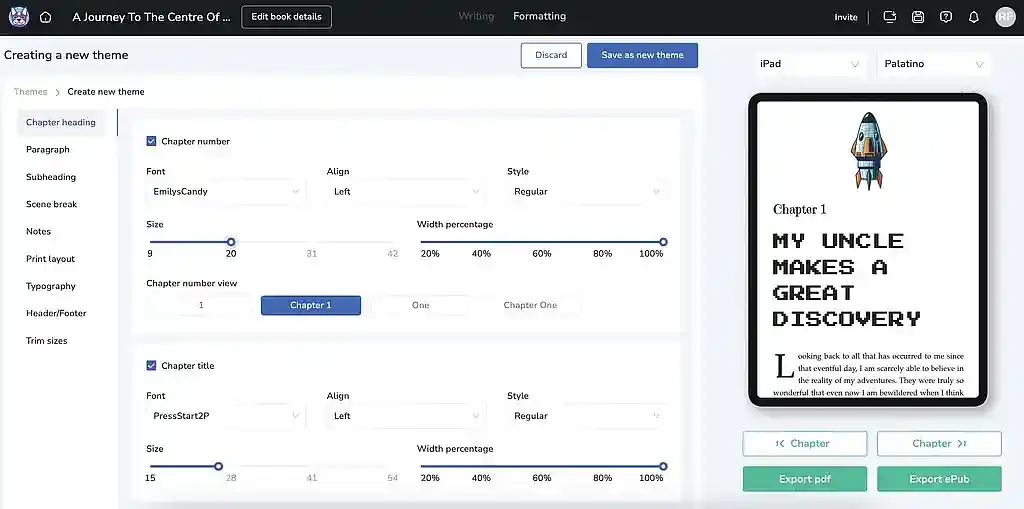
Atticus isn’t as good as Vellum, but it is available on all mainstream operating systems, as well as online. In addition to 17 preset style templates, it has a custom theme builder with a choice of over 1,500 fonts — although the learning curve is more effort than it’s worth for many authors.
Atticus imports images without issue, but does not always recognize headings in imported text and discourages copy and pasting to circumvent the problem, making it somewhat frustrating to use. The writing environment is functional but plain and Atticus has decent collaboration tools, but each collaborator will need their own account, priced at $147 with no free trial.
Unless you feel very strongly about a particular font, Atticus is rarely worth the price tag.
|
Pros of Atticus |
Cons of Atticus |
|
➕ 17 style templates and 1,500+ fonts |
➖ Expensive with no free trial |
|
➕ Compatible with all devices |
➖ Issues importing and pasting text |
|
➖Collaborators must have their own account |
7. Apple Pages
Price: Free
Platform(s): macOS, iOS
LitReactor rating: ⭐
Best for: Free formatting for Apple users who don’t want to sign up to new software
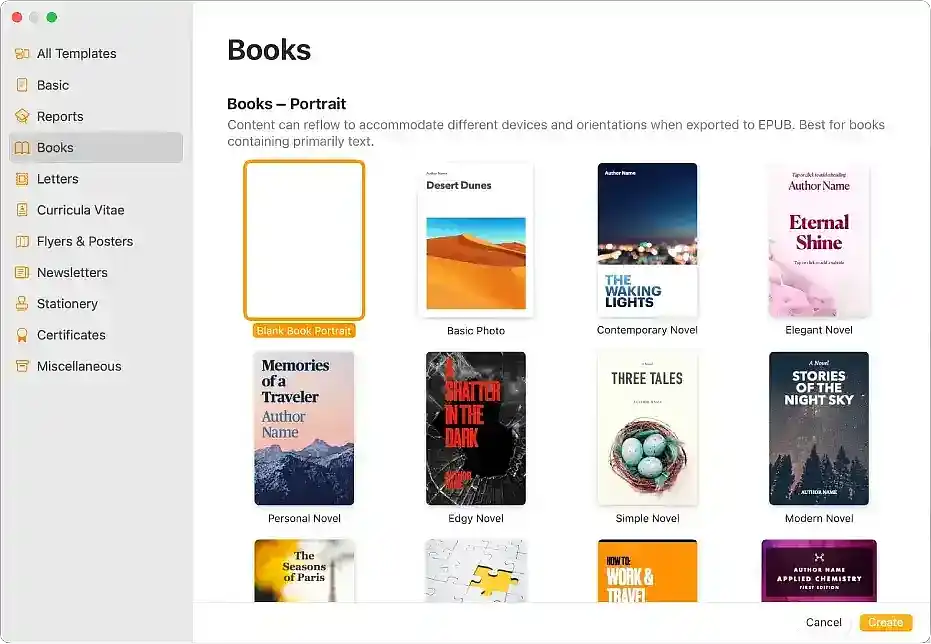
Our list wouldn’t be complete without Apple Pages, a free formatting tool for Mac users. Unlike Reedsy Studio, the software is not built specifically for books and lacks advanced typesetting features such as kerning (a spacing technique used to create visually balanced text).
You won’t get a highly professional finish from Apple Pages, but its 12 basic templates might suffice for casual authors who don’t want to create yet another new account.
|
Pros of Apple Pages |
Cons of Apple Pages |
|
➕ Free |
➖ Lacks professional typesetting features |
|
➕ 12 preset templates |
➖ Apple users only |
And that completes our roundup of the best (and worst) book formatting software. If none of these tools feel right for you, you can always hire a typesetter to take care of your book’s layout.
About the author
Loretta Bushell writes for LitReactor and for Reedsy, a marketplace that connects authors with resources and professionals to help them publish their dream book. Loretta is also a qualified freelance translator and spends her spare time reading books of all genres (except horror!) and playing board games.